- Cisco Community
- Technology and Support
- Networking
- Switching
- Re: Nexus Switch Setup
- Subscribe to RSS Feed
- Mark Topic as New
- Mark Topic as Read
- Float this Topic for Current User
- Bookmark
- Subscribe
- Mute
- Printer Friendly Page
Nexus Switch Setup


- Mark as New
- Bookmark
- Subscribe
- Mute
- Subscribe to RSS Feed
- Permalink
- Report Inappropriate Content
09-24-2025 06:19 AM
I have 2 Nexus 9000 series switches I have configured with VLANs. I am having issues trying to do the following:
1) Have the switches ping each other and other devices on the same subnet.
2) Setup Ethernet channel
The issues I am having is the learning curve and commands for the nexus flavor of switches I normally dont work it.
It's my understanding that the Mgmt0 is out of band connections and is a diff IP then say the Mgmt VLAN IP.
I was able to setup a VLAN with the IP on both switches but still unable to ping.
- Labels:
-
Other Switching




- Mark as New
- Bookmark
- Subscribe
- Mute
- Subscribe to RSS Feed
- Permalink
- Report Inappropriate Content
09-24-2025 08:19 AM
Hey John.
Is it possible that you post your config?
As for the mgmt0 Interface - per default it is in the Mgmt-intf VRF, and any SVI you create in the default VRF..
You do not have to use the mgmt0 Interface if you do not want to.
As for config, there are config guides by Cisco for almost everything:
BR Jules


- Mark as New
- Bookmark
- Subscribe
- Mute
- Subscribe to RSS Feed
- Permalink
- Report Inappropriate Content
09-24-2025 10:13 AM
Hello @John N ,
one of the main differences between the Nexus switches and the Catalyst switches is that you have to explicitly enable many standard features.
You can use the command 'show feature' to check which features are enabled and by default you will get a long list of disabled ones.
A basic sample config for a Nexus 9000 switch might look as follows:
! Enable the necessary features:

feature interface-vlan
feature lacp

! Create the Vlans:

vlan 10
  name OFFICE
vlan 20
  name LAB

! Create the IP-Interfaces:

interface Vlan10
  no shutdown
  ip address 10.10.10.1/24

interface Vlan20
  no shutdown
  ip address 10.10.20.1/24

! Create the Port-Channel:

interface port-channel1
  switchport mode trunk
  switchport trunk allowed vlan 1,10,20

interface Ethernet1/2
  switchport mode trunk
  switchport trunk allowed vlan 1,10,20
  channel-group 1 mode active

interface Ethernet1/3
  switchport mode trunk
  switchport trunk allowed vlan 1,10,20
  channel-group 1 mode active
Configuring the Vlans and IP-Interfaces is straight forward, once you enabled the feature interface-vlan.
When manually creating an Etherchannel, you will notice that the Nexus switches do not have an interface range command.
Instead you simply skip the 'range' keyword and use the syntax 'interface ethernet 1/2 - 3' for example.
You can then verify that the Etherchannel is working as expected:
N9k1# show port-channel summary
Flags:  D - Down        P - Up in port-channel (members)
        I - Individual  H - Hot-standby (LACP only)
        s - Suspended   r - Module-removed
        b - BFD Session Wait
        S - Switched    R - Routed
        U - Up (port-channel)
        p - Up in delay-lacp mode (member)
        M - Not in use. Min-links not met
--------------------------------------------------------------------------------
Group Port-       Type     Protocol  Member Ports
      Channel
--------------------------------------------------------------------------------
1     Po1(SU)     Eth      LACP      Eth1/2(P)    Eth1/3(P)
N9k1#
Commands like 'show ip interface brief', 'show interface status', 'show spanning-tree vlan 10' work as usual and finally the ping to the neighbor is successful:
N9k1# ping 10.10.10.2
PING 10.10.10.2 (10.10.10.2): 56 data bytes
64 bytes from 10.10.10.2: icmp_seq=0 ttl=254 time=4.491 ms
64 bytes from 10.10.10.2: icmp_seq=1 ttl=254 time=3.609 ms
64 bytes from 10.10.10.2: icmp_seq=2 ttl=254 time=3.317 ms
64 bytes from 10.10.10.2: icmp_seq=3 ttl=254 time=4.981 ms
64 bytes from 10.10.10.2: icmp_seq=4 ttl=254 time=5.382 ms

--- 10.10.10.2 ping statistics ---
5 packets transmitted, 5 packets received, 0.00% packet loss
round-trip min/avg/max = 3.317/4.356/5.382 ms
N9k1#
The config for the second Nexus switch is the same, except the IP addresses of course.
HTH!
- Mark as New
- Bookmark
- Subscribe
- Mute
- Subscribe to RSS Feed
- Permalink
- Report Inappropriate Content
09-25-2025 04:56 AM
Thanks for all your help. I was able to fumble my way thru setting up the switches... making them ping each other and SSH in successfully. The last thing I am working on is setting up Etherchannel for the vSphere environment.
- Configure Etherchannel cross connecting one nic on each switch, ie.. sw1-port - nic 1 => sw2 -port 1- nic 2
Example
Etherchannel 1. sw1-port 1- nic 1 => sw2 -port 1- nic 2
Etherchannel 2. sw1-port 2- nic 3 => sw2 -port 2- nic 4
LACP will be used on vCenter.. Is there a easy way to set up these EtherChannel's?


- Mark as New
- Bookmark
- Subscribe
- Mute
- Subscribe to RSS Feed
- Permalink
- Report Inappropriate Content
09-25-2025 08:07 AM
check vPC config :
https://www.balajibandi.com/?p=618
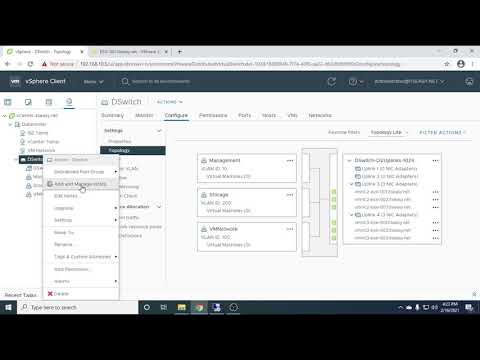
on vCenter you need to use dswitch configuration :
https://www.youtube.com/watch?v=UYKc01OPeKY&t=395s
=====️ Preenayamo Vasudevam ️=====
***** Rate All Helpful Responses *****

Discover and save your favorite ideas. Come back to expert answers, step-by-step guides, recent topics, and more.
New here? Get started with these tips. How to use Community New member guide