- Cisco Community
- Technology and Support
- Data Center and Cloud
- UCS Director
- UCS Director Knowledge Base
- UCSD - Global Variables Across Workflows via the Activities Action in UCSD
- Subscribe to RSS Feed
- Mark as New
- Mark as Read
- Bookmark
- Subscribe
- Printer Friendly Page
- Report Inappropriate Content


- Subscribe to RSS Feed
- Mark as New
- Mark as Read
- Bookmark
- Subscribe
- Printer Friendly Page
- Report Inappropriate Content
11-18-2015 02:59 PM - edited 03-01-2019 06:39 AM
The Activities in UCSD provide a way to generate and control global variables across workflows.
The activities set up can be found here:
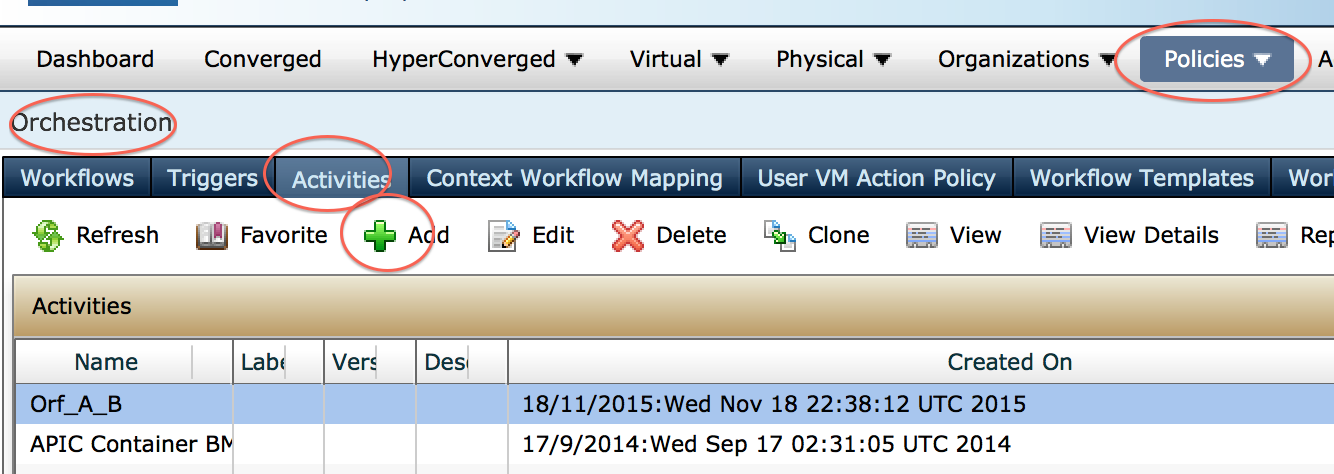
'
An activity can contain many variables:
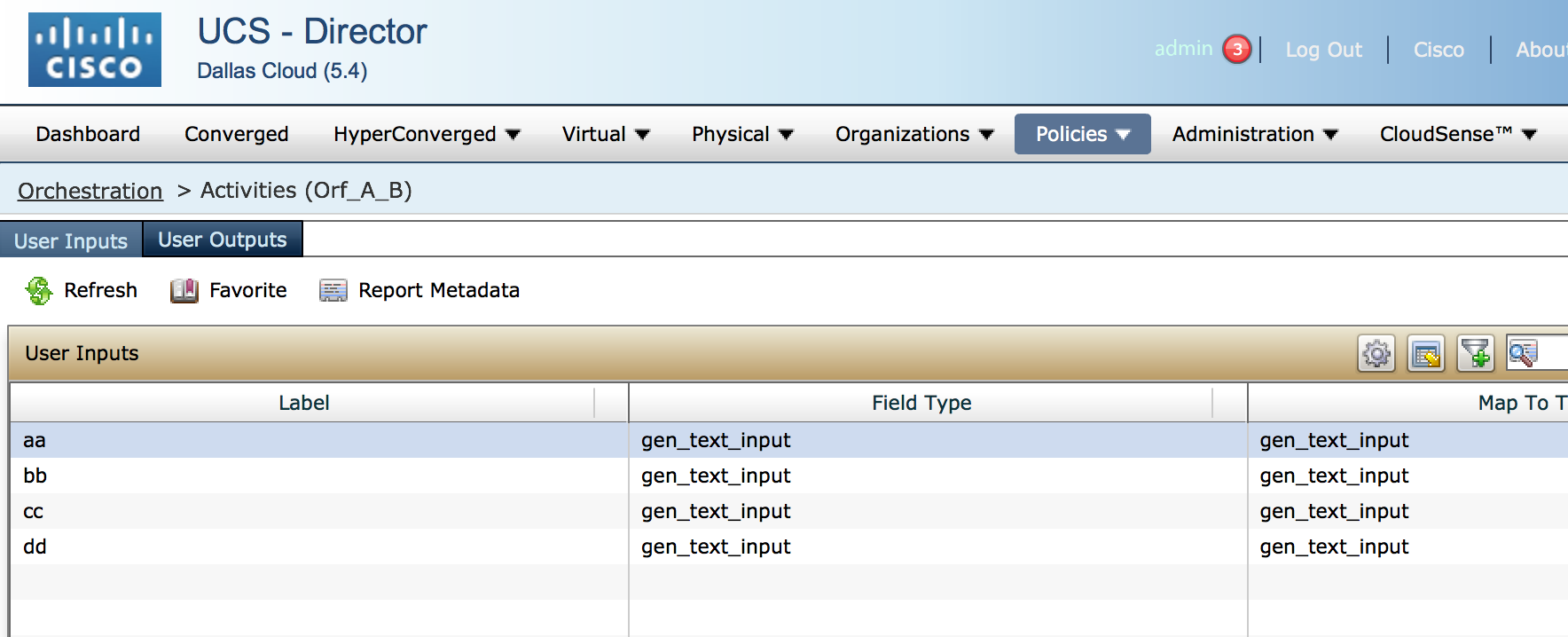
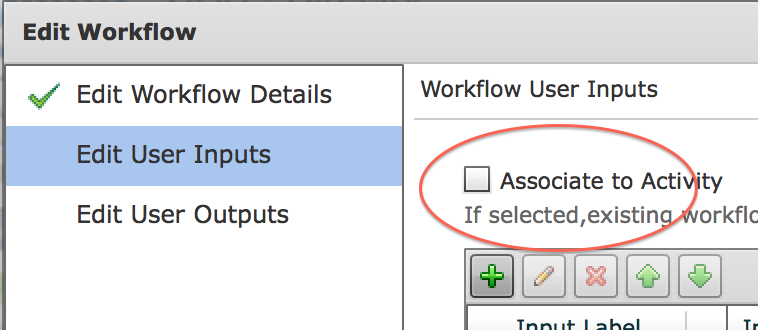
Within a selected workflow you select the activities check box to import the Variables into this workflow:
And then the 4 variables are imported:
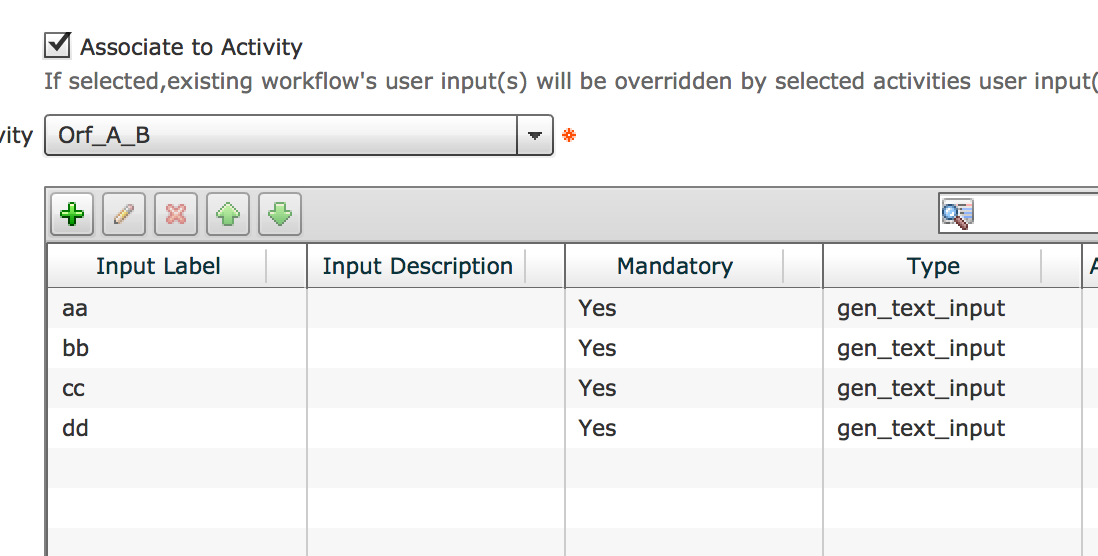


- Mark as Read
- Mark as New
- Bookmark
- Permalink
- Report Inappropriate Content
So is this meant to make the entry of variables in a workflow easier?
If you have one or many variables you can use this activity to have the variables you want to use defined once and then brought in with an activity?
- Mark as Read
- Mark as New
- Bookmark
- Permalink
- Report Inappropriate Content
It is more meant when you have workflow A and workflow B and they use the same variables you create the definition only once and import it into workflow A and B
- Mark as Read
- Mark as New
- Bookmark
- Permalink
- Report Inappropriate Content
I assume you have to use all the inputs and outputs from an activity and can't be selective. Right?
Also thank you for the reply that cleared up what an activity is for me.
- Mark as Read
- Mark as New
- Bookmark
- Permalink
- Report Inappropriate Content
Yes – has to be the same – hence I have not found good use for it.
The true global variables in UCSD 6.5 are a much better avenue .(Orchestration -> global varaibles)
- Mark as Read
- Mark as New
- Bookmark
- Permalink
- Report Inappropriate Content
With that in mind is there quicker way to enter variable mapping when you have a bunch of variables.. Like over 20
- Mark as Read
- Mark as New
- Bookmark
- Permalink
- Report Inappropriate Content
When you are in a task and want to map a variable there is a plus button to add it right there. I found that to be the fastest vs creating them all first.
Find answers to your questions by entering keywords or phrases in the Search bar above. New here? Use these resources to familiarize yourself with the community:
