Introduction:
This document describes a method of decoding SSL communication using a capture file and a private key.
Core Issue:
Resolution:
# openssl rsa -in sv_key.pem -out private_key.pem Enter pass phrase for sv_key.pem: writing RSA key |
2) Start Wireshark and select Edit -> Preferences -> Protocols -> SSL.
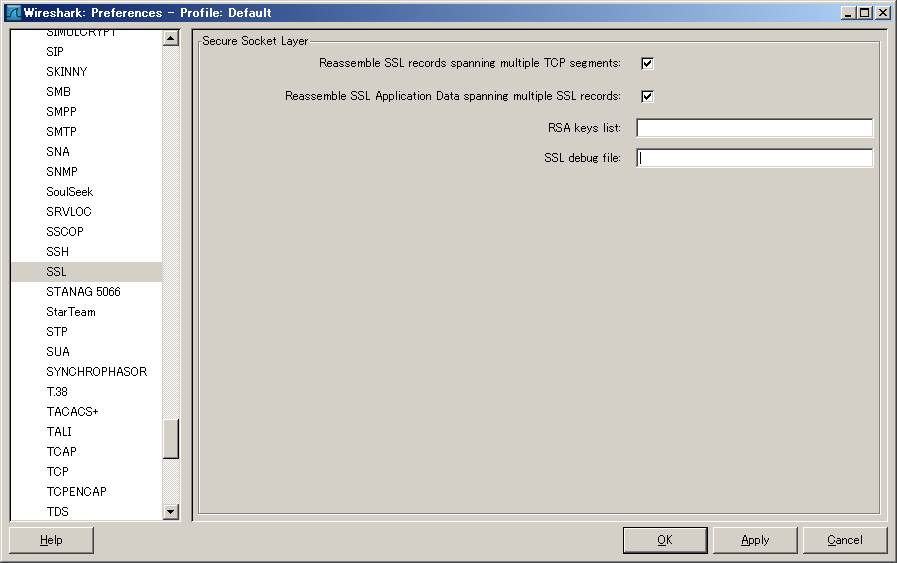
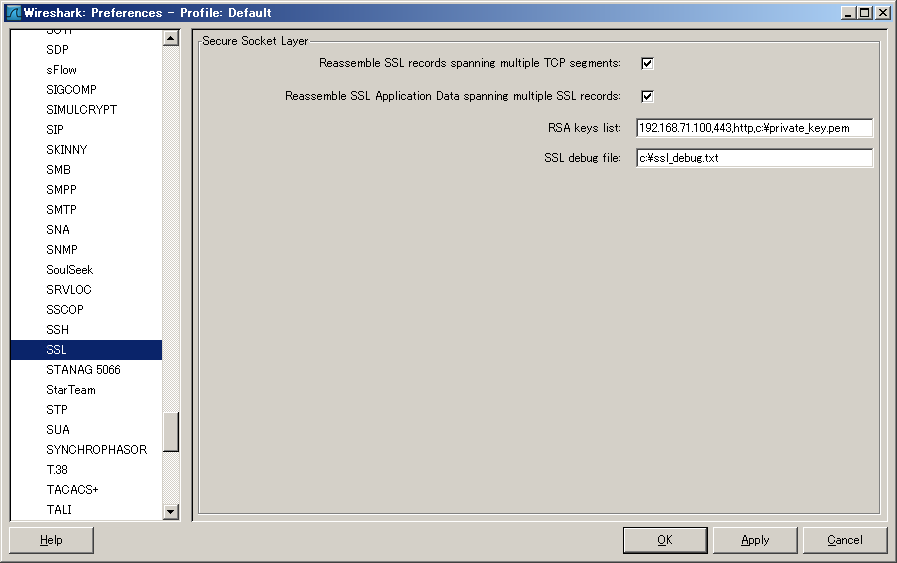
3) Fill in RSA key list and SSL debug file. When you move the mouse pointer closer, a help indicating what to enter in each box appears.
In this example, the file is placed directly under the C drive, so configure it as follows:
RSA keys list : 192.168.71.100,443,http,c:\private_key.pem
SSL debug file: c:\ssl_debug.txt (Create an empty file)
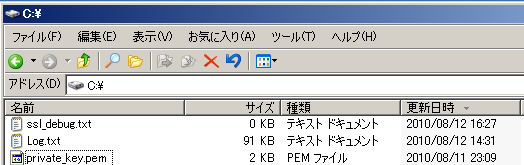
When you open the capture file after configuration, the decoded result will appear as shown below.
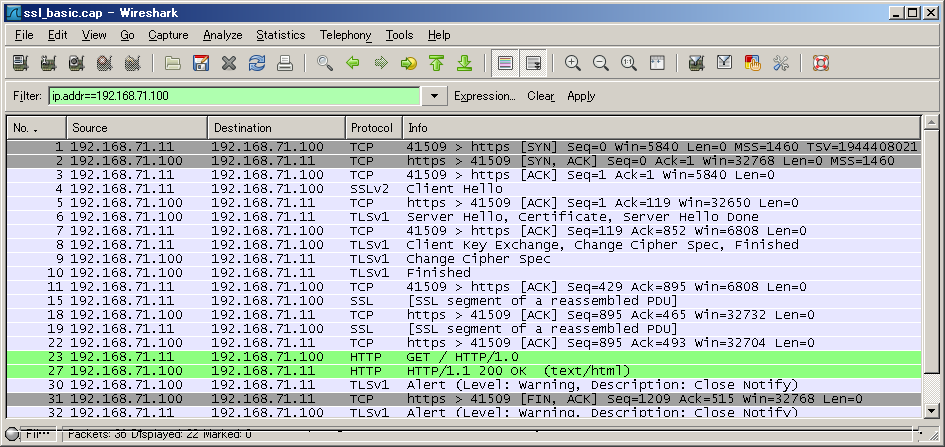
Message online 8 below reads "Client key Exchange, change cipher spec, Encrypted Handshake Massage." "Encrypted Handshake Message", when decoded, will read "Finished."
When you decode this file, you can see that the Finish message is sent as explained above.

See the following link on how to use Wireshark.
http://wiki.wireshark.org/SSL
Note:
The procedures described here are to be used for troubleshooting purposes only.
Also, be very careful when handling private keys and passwords.
Related Information
Original Document: Cisco Support Community Japan DOC-12567
Author: Yuji Shimazaki
Posted on August 12, 2010
https://supportforums.cisco.com/docs/DOC-12567
