- Cisco Community
- Technology and Support
- Security
- Network Security
- Re: New to Firepower
- Subscribe to RSS Feed
- Mark Topic as New
- Mark Topic as Read
- Float this Topic for Current User
- Bookmark
- Subscribe
- Mute
- Printer Friendly Page
New to Firepower


- Mark as New
- Bookmark
- Subscribe
- Mute
- Subscribe to RSS Feed
- Permalink
- Report Inappropriate Content
07-17-2019 01:03 AM - edited 02-21-2020 09:18 AM
Hello,
I've inherited a couple of Cisco ASAs in active/passive mode that have Firepower installed. It seems there is also a VM appliance that I have access too.
Can anyone provide some handy commands to check how it's configure and what is being utilised?
Also I can't see what interfaces are being monitored.
Anything to give me a head start would be great then I can do some proper reading.
Thanks
- Labels:
-
NGFW Firewalls
- Mark as New
- Bookmark
- Subscribe
- Mute
- Subscribe to RSS Feed
- Permalink
- Report Inappropriate Content
07-20-2019 03:02 AM
So when the FirePOWER module is setup you are asked to point it to the FMC IP and that's it?
I did find this global policy which I guess is auto generated:
en/act# session sfr con
Opening console session with module sfr.
Connected to module sfr. Escape character sequence is 'CTRL-^X'.
> show managers
Type : Manager
Host : 172.x.x.5
Registration : Completed
And
System> show summary
-----------[ xxx-lh-sfr-02.xx.xx.local ]------------
Model : ASA5516 (72) Version 6.2.2.1 (Build 73)
UUID : 39c6acdc-1aae-11e8-b5d-8568d7f2
Rules update version : 2019-07-17-001-vrt
VDB version : 294
----------------------------------------------------
------------------[ policy info ]-------------------
Access Control Policy : Cisco123-Default
Intrusion Policy : Balanced Security and Connectivity
--------------------[ outside ]---------------------
Physical Interface : GigabitEthernet1/1
Type : ASA
Security Zone : None
Status : Enabled
Load Balancing Mode : N/A
So I'm assuming all traffic then is sent to the module and on the FMC I can choose what interface to monitor from there? I can's see how I can select a new interface to monitor or deselect. See below:
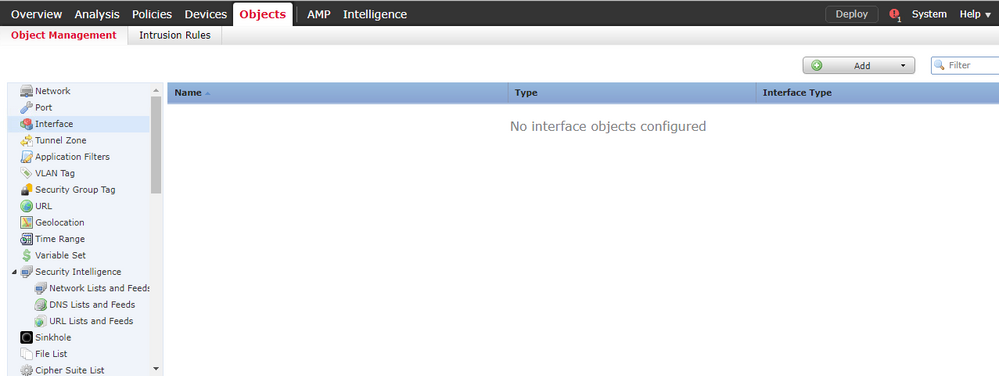
There is a policy of some sort:

To me it's like this isn't even setup properly.
Thanks



- Mark as New
- Bookmark
- Subscribe
- Mute
- Subscribe to RSS Feed
- Permalink
- Report Inappropriate Content
07-20-2019 04:24 AM
hi,
your FMC has intrusion policy rule (IPS) configured. notice the yellow shield icon is enabled.
it seems like your FMC is not fully configured. notice there's a zero (0) count under logging (scroll icon).
- Mark as New
- Bookmark
- Subscribe
- Mute
- Subscribe to RSS Feed
- Permalink
- Report Inappropriate Content
07-20-2019 07:19 AM
Strange as I do get email alerts from time to say certain traffic has been dropped.


- Mark as New
- Bookmark
- Subscribe
- Mute
- Subscribe to RSS Feed
- Permalink
- Report Inappropriate Content
07-20-2019 04:34 AM
You have not confirmed what is setup on the ASA with respect to what I mentioned earlier. i.e.:
"The module inspects traffic that is sent to it via the ASA backplane according to the class-map/policy-map/service policy construct on the ASA config."
If the ASA isn't sending traffic then the module cannot inspect anything - no matter what is or is not configured in the FMC and deployed to the module with respect to policy.
When we deploy an ASA with Firepower service module, it is very common that all of the access-lists and port forwarding etc. continues to be handled by the ASA config. That includes all interface configuration and everything you usually find in an ASA without any service module.
The Firepower service module gives us the opportunity to further inspect the traffic for intrusion detection and prevention purposes - traffic which has already been allowed, NATted, will be routed etc. by the parent ASA. Those inspections are in the form of Snort rules, security intelligence checks (looking for IP and URL blacklists and whitelists for source or destination traffic), protocol conformance, file inspections (if you have the Malware license), URL policy enforcement (if you have the URL Filtering license) and so forth.
- Mark as New
- Bookmark
- Subscribe
- Mute
- Subscribe to RSS Feed
- Permalink
- Report Inappropriate Content
07-20-2019 07:26 AM
Hi Marvin,
I thought the global policy listed above was what you required, can you let me know what commands should identify how this is setup and I will post back?
What is strange I've been getting email alerts on dropped traffic (although it's stopped recently) and I can't on the FMC where this is configured. I've been asked to add our guest network interface on the ASA to the FirePOWER inspection rules, but as you can see I've struggling to find this.
- Mark as New
- Bookmark
- Subscribe
- Mute
- Subscribe to RSS Feed
- Permalink
- Report Inappropriate Content
07-20-2019 08:12 AM - edited 07-20-2019 08:19 AM
What you posted above is not a global policy. From the ASA cli, give us the following:
show run class-map
show run policy-map
show run service-policy
Those, in combination, show us what traffic is directed (by the ASA) into the Firepower service module. Once traffic goes into the Firepower module here's how it works:
Since your Firepower access control policy is to "permit all" and it has an associated Intrusion Policy, you will get (from said Intrusion Policy) the default ruleset from Snort - i.e. block things according to a balanced security and connectivity policy. It blocks based on dynamic inspection and application of Snort rules as developed by Cisco TALOS security intelligence threat researchers and contained in the default rules - not based on anything that you have explicitly configured. the "Balanced" policy will block traffic determined to be an attack against a vulnerability with a CVSS score of 9+ in Snort rule categories Malware-CNC, Blacklist, SQL Injection and Exploit-kit.
There are numerous Cisco Live presentations that describe this behavior as well as several excellent books. It might be worth your while to browse through a presentation or two to get familiar with the overall operation of Firepower. For instance, that last bit I mentioned was from BRKSEC-3300 and presented at Cisco Live US last month.
- Mark as New
- Bookmark
- Subscribe
- Mute
- Subscribe to RSS Feed
- Permalink
- Report Inappropriate Content
07-20-2019 02:18 PM
Hello,
Here are the outputs:
en/act# show run class-map
!
class-map board-class-download
 match access-list board-qos-limit2
class-map awguest-tfl-class-upload
 match access-list awguest-tfl-qos-limit1
class-map global-class
 match any
class-map adlive-v1-inside-class
 match access-list inside_mpc
class-map https-aw-v1-outside-class-upload
 match access-list outside_mpc_2
class-map board-class-upload
 match access-list board-qos-limit1
class-map awguest-tfl-class-download
 match access-list awguest-tfl-qos-limit2
class-map https-aw-v1-outside-class-download
 match access-list outside_mpc_3
class-map adlive-v1-outside-class
 match access-list outside_mpc
class-map https-aw-v1-inside-class-upload
 match access-list inside-lacon-qos-limit1
class-map inspection_default
 match default-inspection-traffic
class-map guestbell-class-upload
 match access-list guestbell-qos-limit1
class-map https-aw-v1-inside-class-download
 match access-list inside-lacon-qos-limit2
class-map global-class-neflow
 match any
class-map guestbell-class-download
 match access-list guestbell-qos-limit2
en/act# show run policy-map
!
policy-map type inspect dns preset_dns_map
 parameters
  message-length maximum client auto
  message-length maximum 512
  tcp-inspection
policy-map awguest-tfl-policy
 class awguest-tfl-class-upload
  police input 5000000 2500
 class awguest-tfl-class-download
  police output 5000000 2500
policy-map board-policy
 class board-class-upload
  police input 50000000 25000
 class board-class-download
  police output 50000000 25000
policy-map global_policy
 class inspection_default
  inspect ftp
  inspect h323 h225
  inspect h323 ras
  inspect ip-options
  inspect netbios
  inspect rsh
  inspect rtsp
  inspect skinny
  inspect esmtp
  inspect sqlnet
  inspect sunrpc
  inspect tftp
  inspect sip
  inspect xdmcp
  inspect dns preset_dns_map
 class global-class
  sfr fail-open
 class global-class-neflow
  flow-export event-type all destination 172.x.x.9 192.x.x.159
 class class-default
  user-statistics accounting
policy-map outside-policy
 class https-aw-v1-outside-class-upload
  police input 80000000 40000
 class https-aw-v1-outside-class-download
  police output 80000000 40000
 class adlive-v1-outside-class
  priority
policy-map guestbell-policy
 class guestbell-class-upload
  police input 5000000 2500
 class guestbell-class-download
  police output 5000000 2500
policy-map inside-policy
 class adlive-v1-inside-class
  priority
 class https-aw-v1-inside-class-upload
  police input 80000000 40000
 class https-aw-v1-inside-class-download
  police input 80000000 40000
en/act# show run service-policy
service-policy global_policy global
service-policy outside-policy interface outside
service-policy inside-policy interface inside
service-policy awguest-tfl-policy interface TFL-NW
service-policy board-policy interface board
service-policy guestbell-policy interface guestbell
en/act#
Hopefully you might see something of interest here.
Kind Regards
- Mark as New
- Bookmark
- Subscribe
- Mute
- Subscribe to RSS Feed
- Permalink
- Report Inappropriate Content
07-20-2019 08:12 PM - edited 07-20-2019 08:14 PM
So if we boil that down to the relevant bits we have:
class-map global-class
 match any
policy-map global_policy
 class global-class
  sfr fail-open
service-policy global_policy global
Basically, all traffic that goes through the ASA is inspected by the Firepower service module - no matter what interface is used for ingress or egress. The only things not inspected would be whatever is denied by in ingress ACL.
The policy from FMC that you shared does not further restrict any traffic with an Access Control Policy entry but only subjects it to basic inspection according to the "Balanced Security and Connectivity" Intrusion Policy. The result of that inspection will be to Allow or Deny traffic according to the Snort rules and Security Intelligence feeds.
- Mark as New
- Bookmark
- Subscribe
- Mute
- Subscribe to RSS Feed
- Permalink
- Report Inappropriate Content
07-21-2019 12:56 AM
What are your thoughts on this setup?
A couple of questions if I may:
1. If new interfaces are setup on the ASA I assume these will automatically get monitored then?
2. What would I do if I wanted to reduce the CPU load the inspection is causing and just monitor the outside interface and maybe the guest network?
3. So that basic FMC access policy is the only attribute managing what we monitor and just relying on Snorts intelligence?
Thanks
- Mark as New
- Bookmark
- Subscribe
- Mute
- Subscribe to RSS Feed
- Permalink
- Report Inappropriate Content
07-21-2019 05:01 AM
You're welcome. It is a basic working setup. There are a few things buried deeper in the menus which should be tweaked (like network discovery policy, setting $HOME_NET variable etc.) and, depending if you have URL Filtering and AMP licenses, the settings for those.
Re your follow up questions:
1. Yes.
2. Filter the traffic with the class-map statement. Instead of "match any" you create an ACL excluding (deny) what you don't want and match against that.
3. At a very simplistic level yes. There are many other things you can tweak but it's a bit hard to go into all of them in a discussion thread. Please refer to some of the free Cisco Live presentations for more detailed suggestions.

- « Previous
-
- 1
- 2
- Next »
Discover and save your favorite ideas. Come back to expert answers, step-by-step guides, recent topics, and more.
New here? Get started with these tips. How to use Community New member guide
