Just wanted to share on CSC , as there have been many instances where most of customer or Tshoot engineers come with CME GUI files located in the flash as follows:
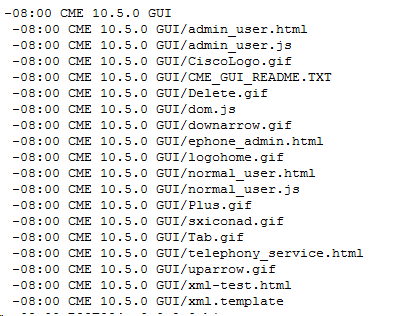
Generally we just extract the .tar file in VGW/CME which leads to the directory created in this format. Reason being if you open CME Gui tar which you have downloaded from Cisco.com you will see folder and sub-folder after untar the file CME-GUI.tar file. Now CME or VGW won’t you allow to configure the path for GUI files as below due to the space in between which is quite it will not understand the syntax and eventually you will get a syntax error like below
(config)#ip http path flash: CME 10.5.0 GUI
^
% Invalid input detected at ‘^’ marker.
To perform this task without making any changes in the file. There is a trick/workaround .
(config)#ip http path “flash: CME 10.5.0 GUI”
Notice, I have included the complete file path within inverted commas. This workaround works well and you won’t need to upload each GUI file one by one onto the flash. Just copy the GUI .tar file in flash, extract it in the gateway’s flash and use the workaround to specify the location of GUI files. Saves a lot of time.
Br,
Nadeem Ahmed


