- Cisco Community
- Webex
- Webex Community
- Webex for Developers
- Registration is not supported for this meeting series
- Subscribe to RSS Feed
- Mark Topic as New
- Mark Topic as Read
- Float this Topic for Current User
- Bookmark
- Subscribe
- Mute
- Printer Friendly Page


- Mark as New
- Bookmark
- Subscribe
- Mute
- Subscribe to RSS Feed
- Permalink
- Report Inappropriate Content
11-05-2023 07:57 AM
Does anyone know why I can't Register a Meeting Registrant by this API: /v1/meetings/{meetingId}/registrants
Although with the same input meetingId, I can do it manually in the user hub:
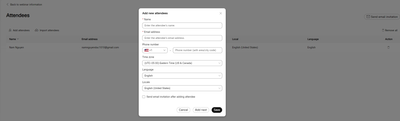
Thank you all.
Solved! Go to Solution.
- Labels:
-
Webex API
-
Webex Developer


- Mark as New
- Bookmark
- Subscribe
- Mute
- Subscribe to RSS Feed
- Permalink
- Report Inappropriate Content
11-06-2023 10:35 PM
Hello @moonloren9x,
I will try to answer this query here.
So, "registering a meeting registrant" and "creating a meeting invitee/attendee" - these 2 are not the same thing.
While you're creating a meeting, you've the option to enable meeting registration for that meeting as a Host.
You can go through this /create-a-meeting API and refer to the field 'registration' in the API Documentation.
Once you specify the 'registration' field that means you're enabling the Meeting Registration as a Host for that meeting.
Then all your meeting attendees/invitees must have to register for that meeting first and then only those invitees who have registered for that meeting, can join the meeting as a valid participant.
To register a meeting participant, either as a Host, you can use that API or, the invitee him/her-self can use the API - https://developer.webex.com/docs/api/v1/meetings/register-a-meeting-registrant
But if you've not enabled the meeting registration while creating the meeting, then this API would throw you the error that you're currently getting.
You need to use the /create-a-meeting-invitee API to create a meeting invitee, what exactly you're doing through the User Hub.
That should work fine just like your User Hub.
Hope this helps!
Please let us know for any further assistance on this query.
Regards!
Sandip
- Mark as New
- Bookmark
- Subscribe
- Mute
- Subscribe to RSS Feed
- Permalink
- Report Inappropriate Content
11-05-2023 08:12 AM
Hi, thank for your response
the error message:

with trackingId:
- Mark as New
- Bookmark
- Subscribe
- Mute
- Subscribe to RSS Feed
- Permalink
- Report Inappropriate Content
11-06-2023 10:35 PM
Hello @moonloren9x,
I will try to answer this query here.
So, "registering a meeting registrant" and "creating a meeting invitee/attendee" - these 2 are not the same thing.
While you're creating a meeting, you've the option to enable meeting registration for that meeting as a Host.
You can go through this /create-a-meeting API and refer to the field 'registration' in the API Documentation.
Once you specify the 'registration' field that means you're enabling the Meeting Registration as a Host for that meeting.
Then all your meeting attendees/invitees must have to register for that meeting first and then only those invitees who have registered for that meeting, can join the meeting as a valid participant.
To register a meeting participant, either as a Host, you can use that API or, the invitee him/her-self can use the API - https://developer.webex.com/docs/api/v1/meetings/register-a-meeting-registrant
But if you've not enabled the meeting registration while creating the meeting, then this API would throw you the error that you're currently getting.
You need to use the /create-a-meeting-invitee API to create a meeting invitee, what exactly you're doing through the User Hub.
That should work fine just like your User Hub.
Hope this helps!
Please let us know for any further assistance on this query.
Regards!
Sandip
- Mark as New
- Bookmark
- Subscribe
- Mute
- Subscribe to RSS Feed
- Permalink
- Report Inappropriate Content
11-07-2023 08:35 AM
thank you so much, it's really helpful
This error message made me so confused, I thought I had problem with meetingSeries, then try to create a meeting with meetingType = meeting/scheduledMeeting but it doesn't work, I still see meetingType = meetingSeries from response
- Mark as New
- Bookmark
- Subscribe
- Mute
- Subscribe to RSS Feed
- Permalink
- Report Inappropriate Content
11-09-2023 11:50 PM
Hi @moonloren9x,
Sorry for being so late to reply back on the pending questions in this thread.
So, you can never create a meetingType as 'meeting' or, 'scheduledMeeting'.
MeetingType would be automatically changed to 'meeting' once a meeting finally gets started. This is something can't be modified/created through API.
Other than that, if you ask about the meetingType - 'scheduledMeeting', again this is something can't be created.
Each & every meeting under a meetingSeries is a 'scheduledMeeting'. This concept is little tricky, but I can try to explain.
This "meetingSeries" - you can consider this as a bigger bucket. And whenever you create a Webex meeting, it'd always be meetingSeries and you'd also have a meetingSeriesId as well.
Now this 'meetingSeries' is nothing but a bigger bucket which can have a single meeting or, might have multiple meetings under that series.
Now, the 'meetingSeriesId' you've, you can take it and query it using this API - https://developer.webex.com/docs/api/v1/meetings/list-meetings-of-a-meeting-series
You can find there would be one part of the Response which would still show the meetingType as 'meetingSeries' and just next to that, there would be one more JSON block, which would have the 'scheduledMeetingId' and its meetingType would be 'scheduledMeeting'.
Which means the bigger bucket 'meetingSeries' would just hold the number of scheduledMeetings inside it and when we start a meeting, we actually start the 'scheduledMeeting' inside a meetingSeries.
Now, if you've created only one meeting, then there would be one meetingType as 'meetingSeries' and other would have the meetingType as 'scheduledMeeting' using the above provided API.
If you've created multiple meetings under a meetingSeries, then there still one would be 'meetingSeries' with the meetingSeriesId to represent the main big bucket and under that, there would be multiple scheduledMeeting which are the actual physical meetings.
That's how the meetingType - 'scheduledMeeting' comes into the picture.
And while you're using the above API - /list-meetings-of-a-meeting-series, make sure you use a specific tentative date range using the fields `from` and `to`.
I understand this concept is little tricky, but once you see the API response as mentioned above, hope things will get clear to you.
Please let us know for any further assistance.
Regards!
Sandip


- Mark as New
- Bookmark
- Subscribe
- Mute
- Subscribe to RSS Feed
- Permalink
- Report Inappropriate Content
11-05-2023 08:01 AM
What's the error message you're getting by the API?
If you provide the tracking id as well, devsupport may also look into the server side logs

Discover and save your favorite ideas. Come back to expert answers, step-by-step guides, recent topics, and more.
New here? Get started with these tips. How to use Community New member guide